Why manual booking and paper diaries disrupt your day
Lost bookings on personal phones
Today
Requests arrive across personal WhatsApp chats and calls while staff are busy with arriving guests.
With MG Tech
Clients choose open slots on your branded booking page, with reservations landing on your calendar.
No-shows that leave empty chairs
Today
Guests forget appointments or cancel late without notice, leaving specialists waiting with empty rooms.
With MG Tech
Automated WhatsApp reminders prompt guests to confirm, and booking deposits protect reserved slots.
Double bookings and paper clashes
Today
Staff write bookings in paper diaries or phone apps, creating conflicting times and delays for clients.
With MG Tech
A single calendar shows room and staff availability, blocking taken slots to prevent overlaps.
Crowded waiting rooms and queue chaos
Today
Reception staff struggle to track who arrived first, who is waiting, and which specialist is ready.
With MG Tech
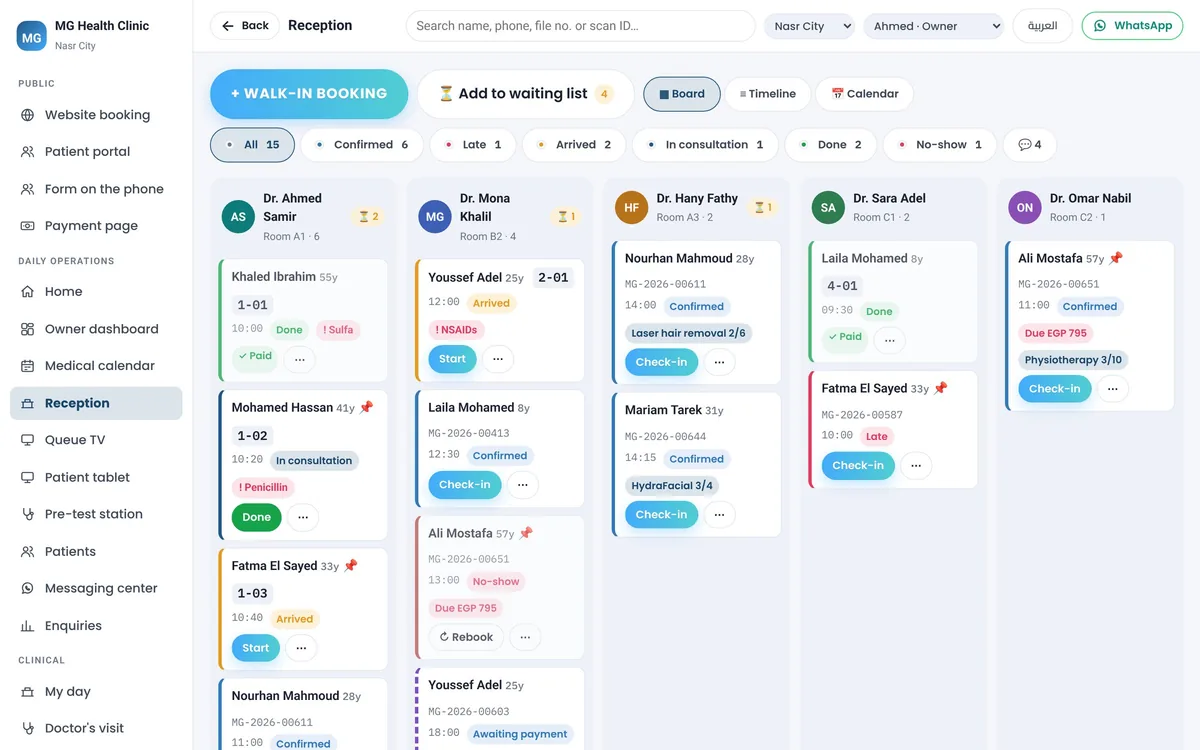
The reception board shows every doctor's queue, arrivals and payments at a glance, keeping the front desk calm.
What you get
Complete booking management for clinics and salons
Branded online booking page
Your branded booking page lets guests view services, choose a specialist, and book open time slots.
Booking deposits
A deposit taken when the guest books on your website or WhatsApp confirms the slot and cuts no-shows.
Automated WhatsApp reminders
Booking confirmations and a reminder before the visit on WhatsApp, the kind that cuts no-shows.
Multi-stylist calendar
Every stylist, room and service on one drag-and-drop calendar with clear schedules (MG Salon only).
Booking and queue board
Every doctor queue, arrival, allergy note and payment status on one reception screen (MG Health only).
Packages and client history
Track prepaid packages, memberships, preferences and past services for returning guests (MG Salon only).
Real screens
See it exactly as it runs
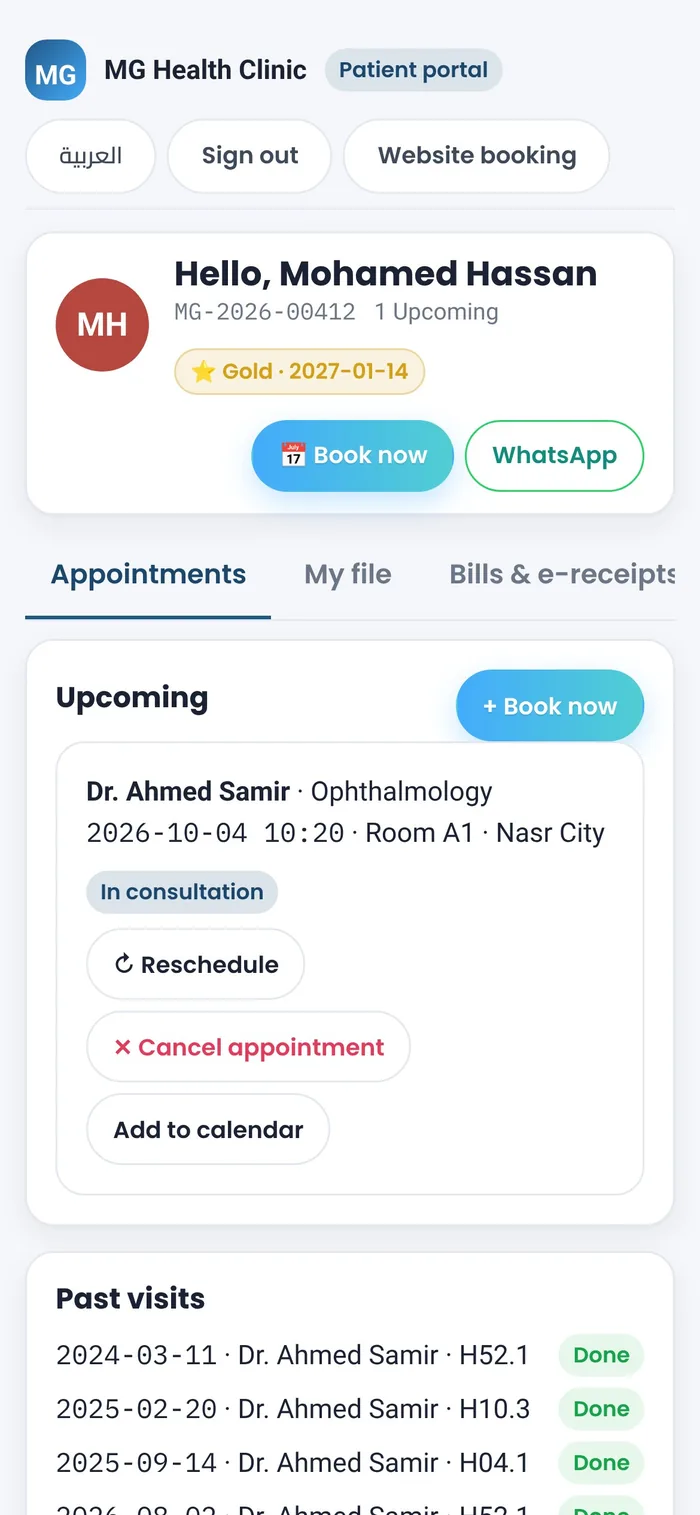
Patient mobile portalPatients book visits, view reminders and check appointment history in Arabic and English.Reception queue boardEvery doctor's queue, arrivals, allergies and payments on one front-desk screen.
How it works
From booking link to completed appointment
1
Set your schedule and services
Define working hours, appointment durations, rooms and available specialists for each branch.
2
Guest reserves a slot and pays deposit
Clients choose an open time on your website or WhatsApp booking link and confirm with a deposit.
3
Automated WhatsApp reminder sent
The system sends an appointment reminder on WhatsApp before the visit, reducing no-show rates.
4
Arrival, service and checkout
Reception marks arrival on the calendar or queue board, the service is done, and bill is settled.