Why paper folders and scattered enquiries slow down admissions
Lost enquiries across phone and chats
Today
Parent inquiries arrive on WhatsApp, calls and walk-ins, ending up in separate notebooks and chats.
With MG School
Every enquiry enters a central pipeline so staff can follow up promptly and track applicant stages.
Missing documents and paper folders
Today
Staff sort paper folders and scattered scans, unsure which applicant certificates are still missing.
With MG School
Attached documents sit in the student application record, showing staff what is complete and missing.
Interview clashes and manual calls
Today
Scheduling family interviews by phone causes clashes, long delays and confused parents at reception.
With MG School
Staff book the interview date in the application record and send the confirmation to the parents on WhatsApp.
Multi-campus list confusion
Today
Branch campuses keep separate sheets, making it hard to track total applications, seats or deposits.
With MG School
A unified system tracks applications across campuses, giving owners a clear overview of enrolments.
What you get
Complete admissions and enrolment tools for your school
Admissions pipeline
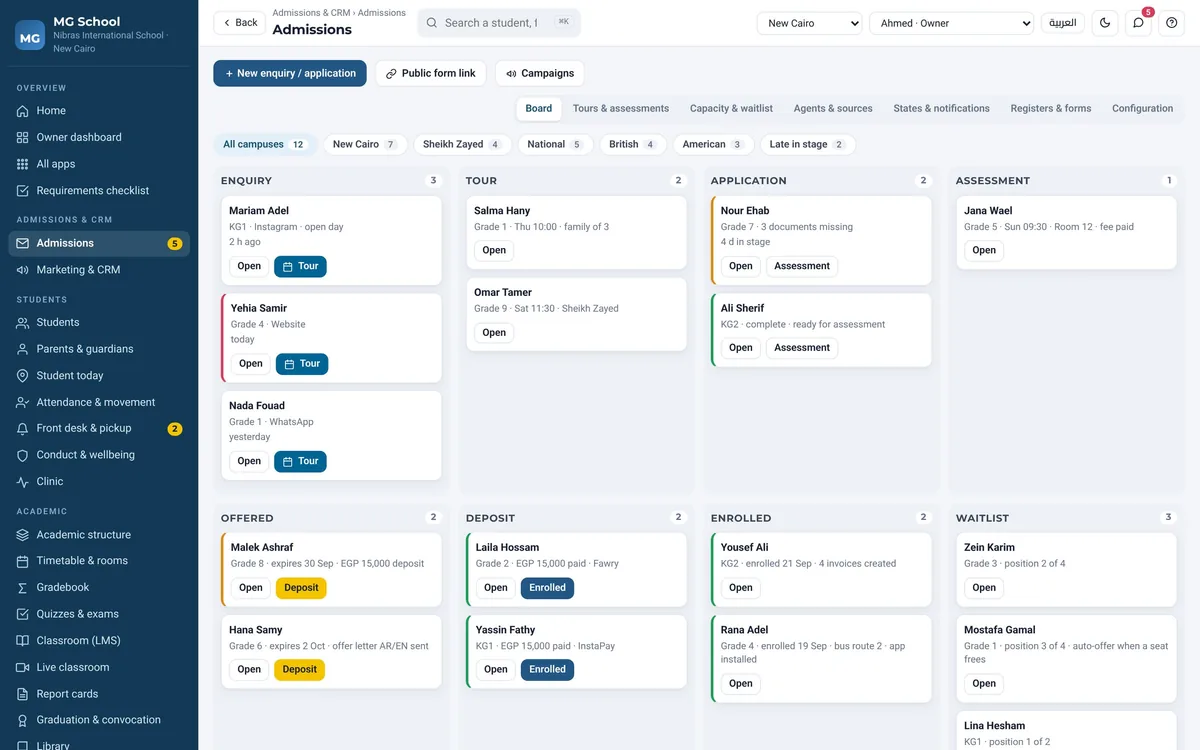
Track applicants through every stage from first enquiry to interview, offer and accepted enrolment.
Applicant document records
Keep every applicant's documents attached to the application record, with what is still missing in view.
Interview scheduling
Book each family's interview date in the application record, so the office and the parents see the same day and time.
Seat deposits and fees
Record registration deposits and connect accepted students to tuition fee and instalment plans.
Parent app and updates
Activate the parent mobile app once enrolled so families follow school notices and daily updates.
Multi-campus management
Manage admissions across campuses and tracks including National, British and American curricula.
Real screens
See it exactly as it runs
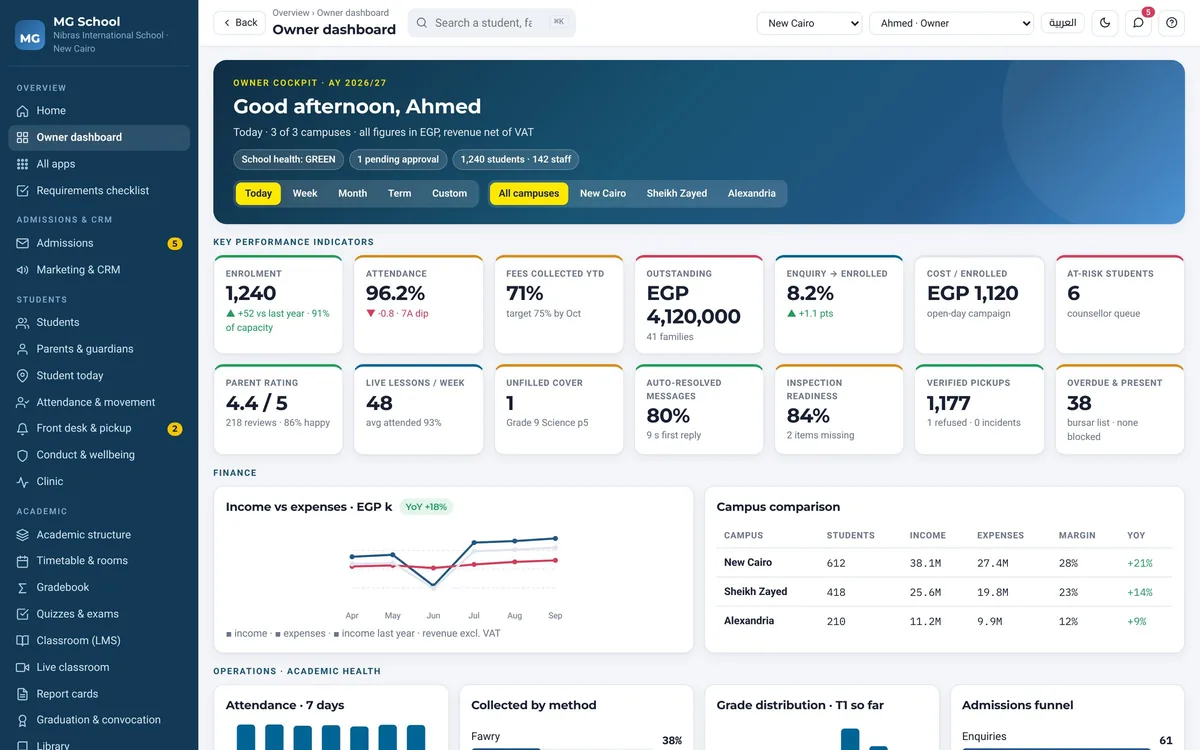
Admissions pipelineEvery enquiry and applicant organized by stage across branches and campuses.School owner dashboardTrack students present, fees collected and school messages on one central screen.
How it works
From initial enquiry to active student enrolment
1
Application received
Admissions staff enter applicant details into the pipeline, attaching required records and documents.
2
Interview scheduled
The team books an interview date, reviews applicant records, and marks notes directly in the file.
3
Fees and deposit paid
Parents pay the seat deposit, and the system links the student record to tuition fee schedules.
4
Parent app activated
Enrolment is confirmed in the chosen curriculum track, and families receive access to the parent app.